 Visit Tokyo Guide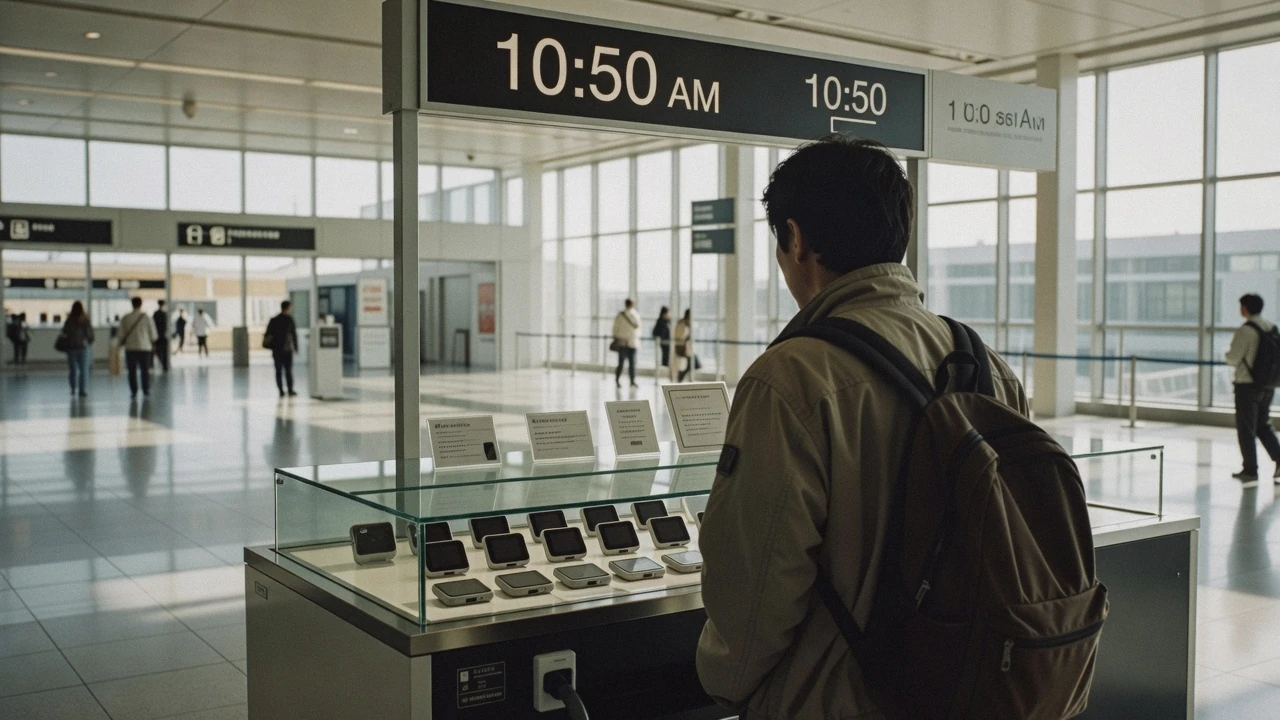
Staying Connected In Tokyo
Choosing a Tokyo SIM card, an eSIM or a rented pocket Wi-Fi is a decision worth ten minutes and about fifty dollars, and most of it comes down to how many phones need to be online and whether your handset takes an eSIM at all. This page prices all four routes, including roaming, from the operators' own published rate cards, sets out what the Tokyo Metropolitan Government's free network actually gives you and what it asks for in return, and is honest about the two things nobody publishes: underground coverage and a roaming price you can compare. It is written for a visitor who wants working maps between the neighbourhoods rather than a data plan; the rest of the practical layer sits on getting around Tokyo and on what to do in Tokyo. Yen figures are the operators' own; dollars are converted at ¥1,000 = $6.48.
Quick answer Which of the four to buy, at what price, and what the free network costs you
One traveller with a modern phone should buy an eSIM: the published rate cards start at $4.70 (¥726) for a gigabyte and run to $53.80 (¥8,305) for a fortnight of unlimited data, and it activates from a code before you leave home. Two or more people travelling together should price a rented pocket Wi-Fi against that, because one device from $2.85 (¥440) a day covers everybody's phones. A physical SIM is the answer only when the handset will not take an eSIM.
Key takeaways
- The comparison that decides it is devices, not gigabytes: one phone favours an eSIM, three or more phones favour a rented router, and the table prices both against a physical card.
- Free public Wi-Fi is real here and is not a substitute for a data plan. TOKYO FREE Wi-Fi is free of charge under its own terms of use, but it needs a Google, Apple or LINE identity and a configuration profile installed before it works.
- Nobody publishes a roaming price you can compare, and nobody publishes subway-tunnel coverage either. The roaming section says what to ask your own carrier before you fly.
- If the real problem is finding your way rather than being online, a half day with a local guide solves more of it than any data plan, and costs about what a fortnight of unlimited data does.
The Four Ways To Have Data, And The Fifth That Is Free
Prices are the cheapest and dearest published tiers on the operators' own English rate cards, read in Q3 2026: NINJA WiFi, run by the listed company Vision Inc., Sakura Mobile and Japan Wireless. All three publish tax-inclusive figures; Japan Wireless prices in US dollars, which is why its column is not converted.
| Route | Published price range | What it needs from you | Who it suits |
|---|---|---|---|
| eSIM | $4.70 (¥726) for 1 GB to $53.80 (¥8,305) for 14 days unlimited | A phone that supports eSIM, and five minutes with a QR code | One or two travellers with recent handsets, which is most people |
| Physical SIM card | $10.26 (¥1,584) for 1 GB to $71.90 (¥11,088) for 15 days unlimited | An unlocked phone, the tray pin, and the network's APN typed in | Older or carrier-locked handsets, and anyone who wants a spare card |
| Pocket Wi-Fi rental | $2.85 (¥440) a day for 1 GB daily up to $14.26 (¥2,200) a day for 5G unlimited | Collection and return, and carrying a second device with its own battery | Families and groups: one router covers every phone and laptop |
| Roaming on your own plan | Not published in a form anyone can compare | One call or app check with your carrier before you fly | Short trips where your plan already includes Japan at no extra cost |
| TOKYO FREE Wi-Fi and the station networks | Free of charge under its published terms | A Google, Apple or LINE sign-in and an installed profile | Nobody as a sole plan; everybody as a backup |
Two of those rows are ranges rather than prices because the operators sell ladders of tiers, and the tier you want depends on the trip. The next three sections print the ladders in full.
The eSIM: The Default Answer For One Phone
Rate card from NINJA WiFi's own English pricing page, with Sakura Mobile's published starting price beside it. An eSIM is a code rather than a card, so nothing has to be posted, collected or returned, and the whole transaction can be finished at home the week before.
Buy on days and data rather than on the brand. Two weeks of ordinary sightseeing use, meaning maps, messaging, a few videos and a lot of photograph uploads, sits comfortably inside 20 GB for one person.
| Plan | Price, tax included | Roughly what it is for |
|---|---|---|
| 1 GB | $4.70 (¥726) | A weekend, maps only, nothing streamed |
| 5 GB | $14.26 (¥2,200) | Four or five days of normal use |
| 10 GB | $23.40 (¥3,608) | A week, comfortably |
| 20 GB | $44.80 (¥6,908) | Two weeks for one traveller, with room to spare |
| 30 GB | $62.20 (¥9,603) | Two weeks of heavy use, or a longer trip |
| 7 days unlimited | $31.10 (¥4,807) | A short trip where you refuse to think about data at all |
| 14 days unlimited | $53.80 (¥8,305) | The same for a fortnight |
Setting One Up Before You Fly
Read the unlimited tiers against the metered ones before you pay for them. Twenty gigabytes at $44.80 (¥6,908) covers two weeks for one person; fourteen days of unlimited at $53.80 (¥8,305) is nine dollars more for the right never to check. Sakura Mobile, which sells the same kind of product, publishes a travel eSIM from $8.10 (¥1,250) on its own site, so it is worth pricing both for your exact dates.
The practical steps are short and worth doing before you fly. Check that your handset supports eSIM and is not carrier-locked, because a locked phone will take the profile and refuse to use it. Buy online, receive the QR code by email, and install it while you still have Wi-Fi at home; most providers let you install early and activate on arrival. Keep your home SIM in place, switch data over to the Japanese profile when you land, and leave your usual number reachable for messages.
One thing an eSIM will not do is give you a Japanese phone number for calls, unless you buy a voice plan. For a restaurant reservation, an accommodation host or a lost-property call, an internet-calling app on the data plan is what most visitors use. If you specifically need a callable Japanese number, Sakura Mobile publishes voice-and-data plans from $19.31 (¥2,980) a month, which is a different product from anything else on this page.
The Physical Tokyo SIM Card, And When It Is Still Right
Two operators publish full ladders for visitor SIM cards, in two currencies: NINJA WiFi in yen and Japan Wireless in US dollars. The card has become the fallback rather than the default, but for some handsets it is the only option that works.
A physical card is worth buying when your phone has no eSIM support, when it is locked to a home carrier that will not release it, or when you want a second device online without renting a router.
| Card | NINJA WiFi, tax included | Japan Wireless, tax included | Notes |
|---|---|---|---|
| 1 GB | $10.26 (¥1,584) | Not sold in this size | The smallest useful card, for a two-day stop |
| 3 days, unlimited data | Not sold in this length | $15.60 | The cheapest unlimited option published by either |
| 5 GB | $25.20 (¥3,883) | Not sold by gigabyte | About five days of ordinary use |
| 7 days, unlimited data | Not sold in this length | $18.70 standard, $23.10 premium | The premium tier is the 5G, no-throttle version |
| 15 days, 10 GB | $29.70 (¥4,587) | $23.70 for 15 days unlimited standard | Compare carefully: unlimited here is cheaper than metered there |
| 30 days, 30 GB | $64.70 (¥9,988) | $28.50 for 30 days unlimited standard | The longest trips are where the price gap opens widest |
| 15 days, unlimited | $71.90 (¥11,088) | $39.30 premium | Same promise, very different prices: read both rate cards |
Two Rate Cards, One Product, Very Different Prices
That table is the most useful thing on this page, because the two operators price the same product on entirely different logic and the gap runs to tens of dollars for identical trips. Neither is hiding anything: NINJA WiFi sells mostly by data allowance and Japan Wireless mostly by days of unlimited use, and whichever shape matches your trip wins. Price your exact dates on both sites rather than taking a recommendation.
The setup is where a card can go wrong. Both operators publish the access-point settings you have to type in by hand, and they differ by network: on the Docomo network the access point is ppsim.jp with the user name ppsim and the password jpn, and on the au network it is a longer address with its own credentials, both with PAP or CHAP authentication. Neither is difficult, but a phone that will not connect after inserting the card is almost always a phone with an unfilled access point rather than a faulty card.
Two practical limits worth knowing. Data-only cards do not carry voice calls, so calls run through internet apps. And personal hotspot use on the premium 5G cards is capped by NINJA WiFi at 9 GB on the 10-day card, 15 GB on the 15-day and 30 GB on the 30-day, while the standard 4G cards do not support tethering at all. If your plan is to share the card with a laptop or a second phone, that limit matters more than the headline allowance, and it is the moment to consider a router instead.
Sakura Mobile publishes travel SIM cards from $22.70 (¥3,500), which sits above both operators above at the entry level but comes with airport and hotel collection points. Whichever you choose, order early: cards are posted or collected, and a card that arrives at your home address the day after you fly is money spent on nothing.
Pocket Wi-Fi: The Answer When There Are Four Of You
Daily rates from NINJA WiFi's published router table and Sakura Mobile's own site. A rented router is the option that stopped being fashionable and is still the cheapest way to put a family online.
The arithmetic is per party, not per person. A single router covers every phone, tablet and laptop in the group, so divide the daily rate by the number of people before comparing it with an eSIM.
| Router plan | Per day, tax included | Seven days | What it means for four people |
|---|---|---|---|
| 1 GB a day | $2.85 (¥440) | $19.95 (¥3,080) | Maps and messaging only, about five dollars each for the week |
| 3 GB a day | $4.99 (¥770) | $34.90 (¥5,390) | The sensible family tier |
| 5 GB a day | $7.13 (¥1,100) | $49.90 (¥7,700) | Video on the train and photographs uploaded nightly |
| 10 GB a day | $8.55 (¥1,320) | $59.90 (¥9,240) | Working while travelling, for a group |
| 5G unlimited | $14.26 (¥2,200) | $99.80 (¥15,400) | The no-thinking tier, and the only one that beats an eSIM on speed |
Sakura Mobile publishes pocket Wi-Fi from $1.94 (¥299) a day and a monthly router from $32.30 (¥4,980), which undercuts the daily ladder above at the entry level; as with the cards, price your own dates on both.
The drawbacks are physical rather than financial. The router is a second object to carry, charge and not leave in a hotel room, and its battery is the constraint on a long sightseeing day: several operators sell or include a power bank for exactly that reason. It also has to come back. NINJA WiFi's own terms let you collect at an airport counter, have the device delivered to a hotel, and return it at a counter, by courier or into an airport return box, which is the part of the transaction an eSIM does not have at all.
A note on where the reviews agree. NINJA WiFi publishes dated five-star reviews on its own rate page, and the useful ones are specific rather than enthusiastic: a family of four reported connecting every device and travelling into rural areas on the 5G unlimited plan, and another traveller on the cheapest 1 GB-a-day tier reported the allowance being sufficient for ordinary use on an older handset. Both descriptions match the arithmetic above, which is the only reason to quote them.
Roaming, And The Price Nobody Publishes
Roaming is the option this page cannot price for you, and that is not an oversight. No Japanese carrier publishes an inbound roaming tariff, because the price is set by your own operator at home, and home operators publish theirs in dozens of national variants that change with every plan revision. Japan's national tourism organisation says as much in its own visitor answers: whether your phone works here varies by provider, and the advice is to confirm compatibility with your own carrier before arriving.
So the useful version of this section is the list of questions to ask before you fly. Does my plan include Japan at no extra cost, and if so at what speed and up to how many gigabytes? What is the daily charge if it is not included? Does my phone support the Japanese networks, which run on Docomo, au and SoftBank infrastructure and are the same networks every visitor product on this page resells? And will tethering work on the roaming plan, or is it blocked?
The answers split cleanly. Travellers on plans that already bundle Japan, which is common on some North American and European carriers, should do nothing at all: you are already paying for it. Travellers facing a daily roaming charge should compare it with the eSIM ladder above, where two weeks of unlimited data costs $53.80 (¥8,305), and the comparison is usually not close. There is no middle case worth agonising over, and the whole decision takes one look at your carrier's app.
One caution that applies to everybody. Turn off automatic roaming before you land if you are buying a local plan, because a phone that quietly attaches to a Japanese network at the gate can spend more in the twenty minutes at passport control than the eSIM cost.
The Free Networks, And What They Ask For In Return
From the Tokyo Metropolitan Government's own TOKYO FREE Wi-Fi site and its terms of use. It is genuinely free, and it is not a data plan.
The city's network is run by the Metropolitan Government through Wire and Wireless, and Article 4 of its terms of use states plainly that no fee is charged for use of the service. What it charges instead is a small amount of setup and an identity.
- The service is OpenRoaming-compatible and also reachable through the Cityroam and eduroam networks, which means a device configured once keeps connecting without a new login at each spot.
- To register, connect to the SSID START_TOKYO_Wi-Fi at a location marked with the green TOKYO FREE Wi-Fi sticker; the setup site opens automatically.
- Registration authenticates you with a Google, Apple or LINE identity, then downloads a configuration profile you install on the phone. The site's own guidance puts the profile installation at about five minutes.
- There is no stated time limit on a session, which is unusual: many public networks cut you off at an hour.
- The profile can lapse after a year of inactivity, so a returning visitor may have to register again.
- Coverage is the spot map on the same site, at marked facilities and public phone booths, not a blanket over the city.
Beside the city network sit the operators' own. JR East advertises a JR-EAST Free Wi-Fi service from its English pages, and Keikyu lists free Wi-Fi among the services on its airport-access site, but neither published a terms or coverage page we could reach, so we describe them as existing rather than quoting what they cover. Tokyo Metro's and Toei's visitor Wi-Fi pages returned errors or empty navigation shells on the same day, which is why this page carries no station-by-station Wi-Fi list.
The honest summary is this. Free Wi-Fi in Tokyo is better than in most cities and worse than a data plan. It is excellent in a station concourse, a department store, a public library and an airport terminal, and it is absent exactly where you need directions: the middle of a residential street at eleven at night with a phone at four percent. Set it up on the first morning because it costs nothing and it works, and buy data anyway.
Coverage Underground, And The Apps That Cover For It
Every visitor asks whether the phone works in the subway, and no operator we could reach publishes an answer. Tokyo Metro's own Wi-Fi and tips pages returned a not-found error when we fetched them, and Toei's equivalent returned its navigation shell without content. That leaves us describing the gap rather than filling it with a claim, which is the rule this whole site runs on.
What you can plan around instead is behaviour. Load the route before you go through the gate. Download the offline area map for central Tokyo in your map application, which removes the dependency entirely for walking directions. And screenshot the two or three things you will actually need underground, meaning the platform number, the exit number and the name of the station in Japanese characters, because an exit number is the single most useful piece of information in this city and the sign that carries it is always above your head.
On the apps themselves, the ones worth having are the official ones. Tokyo Metro publishes its own app, linked from its corporate site, which does route search and service status for its nine lines. Haneda Airport publishes HANEDA Navigator, which covers flight and facility search and terminal navigation, and is more use than it sounds when you are looking for the right ticket gate. The TOKYO FREE Wi-Fi site carries the spot map. Everything else, meaning route search across all operators, translation and payment, comes from the general app stores, and the two that matter most, a route planner and a translation camera, both work far better with the data plan you have just bought than without it.
One genuinely useful habit: keep a photograph of your accommodation's address in Japanese in your camera roll. It works when the data does not, it works in a taxi, and it works at a police box, and none of those three moments is a good time to be typing an address into a translation app.
Sockets, Chargers And Where To Plug In
This is the section where an honest guide stops short. We could not find a page on Japan's national tourism site or on the Tokyo Metropolitan Government's visitor site that publishes the country's voltage and socket type for travellers, and we do not reprint a figure from a blog as though it were official. What we can tell you is what to check and where.
Check your own charger first. The small print on the block of every modern phone, laptop and camera charger states the input range it accepts, and a charger rated for the full international range needs a plug adapter and nothing else. A device rated for a single voltage needs a converter, not just an adapter, and that distinction is the one that destroys hair dryers. Japanese sockets take a flat two-pin plug without an earth pin, so the adapter you want is small and cheap and sold in every electronics shop in Akihabara as well as at both airports.
Where to charge is easier. Hotels are the reliable answer and the only one worth planning around. Beyond them, coffee chains and the larger convenience-store seating areas often have sockets, airport lounges and terminal seating areas have them in quantity, and rental power banks from vending-machine style stands have spread across stations and convenience stores, though none of the operators publishes a national rate we could quote. If you are renting a pocket Wi-Fi router, treat its battery as the constraint on your day and carry a power bank for it; several rental operators include or sell one for exactly that reason.
The practical rule for a long sightseeing day is unglamorous and works: leave the hotel at a hundred percent, carry one power bank, and use the phone's low-power mode from the moment it drops below half. A dead phone in Tokyo is not dangerous, because this is a city of paper maps at every station exit and staff who will walk you to the right platform, but it is the fastest way to lose an afternoon.
The Day When A Guide Replaces The Data Plan
Three low-cost options for the first morning, when the maps app is doing the most work and understands the least. A local guide answers questions no route planner will. Prices are the platform listings in US dollars, and each card links to the operator's own page with its live calendar.
 from $58.12
Tokyo: Private Custom Walking Tour with Local Guide
A private, fully customizable walking tour with a local guide who tailors the route to your interests, from landmarks to hidden neighborhoods, suited to families, couples or solo travelers wanting flexibility.
Check Availability from $58.44
Tokyo: Private Walking Tour with a Local Guide
A private walking tour shaped around your own picks, from famous landmarks to quiet temples and local neighborhoods, with temple entrance fees on the agreed route and hotel pickup included.
Check Availability from $12.99
Tokyo: Shibuya Highlights Walking Tour & Secret View Spot
Ninety-minute walking tour of Shibuya covering the Scramble Crossing, Miyashita Park and Center Gai with a local guide, no attraction tickets included. One of the cheapest guided ways to get oriented to the district.
Check AvailabilityPrices, ratings and details are the platform's own. Dollar figures are the listed prices. The platform bills in your account's currency.
Where To Go Next
Three pages that use the connection you have just sorted out.
Getting around Tokyo
The IC card, the fare ladder and the pass arithmetic, all of which are easier with a working route planner in your hand. Read getting around Tokyo.
The next thing to set upWhat Tokyo costs
Where a data plan sits against meals, transport and tickets, and the two taxes that catch visitors out. See what Tokyo costs.
The rest of the budgetHaneda Airport to Tokyo
The arrival is the moment the plan pays for itself: two railways, a bus and a taxi rank, all needing a decision within ten minutes of clearing customs. Compare the Haneda options.
Where you will first want dataData In Tokyo: The Questions
Is a SIM card or pocket Wi-Fi better for Tokyo?
Count devices. One or two phones and an eSIM wins on price and on having nothing to return: a fortnight of unlimited data is $53.80 (¥8,305) on the published rate card. Three or more devices and a rented router wins, because one unit from $2.85 (¥440) a day covers the whole party. A physical card is the answer only for a handset that cannot take an eSIM. The comparison table sets all four against each other.
Is 20 GB enough for two weeks in Japan?
For one person doing ordinary sightseeing, comfortably. Maps, messaging, searching and photograph uploads are small; what consumes an allowance is video streamed on trains and video calls home. Twenty gigabytes is $44.80 (¥6,908) on the published eSIM ladder against $53.80 (¥8,305) for fourteen days unlimited, so if you stream at all, the nine dollars buys the right to stop counting. The eSIM section has the full ladder.
Can a foreigner buy a SIM card in Japan?
Yes. A foreigner can buy a data-only visitor SIM card or eSIM without a Japanese address or residence card, and Japan's tourism organisation notes that rental phones, SIM cards and Wi-Fi are sold at kiosks in most major airports. A voice plan with a Japanese phone number is a different product with an identity check attached. The card section covers both and the access-point settings you have to type in.
What is the best free Wi-Fi in Tokyo?
The Metropolitan Government's own TOKYO FREE Wi-Fi, which its terms of use state carries no fee, is OpenRoaming-compatible and sets no session time limit. It wants a Google, Apple or LINE sign-in and a configuration profile installed, which takes about five minutes once. It covers marked facilities and phone booths rather than the whole city, so treat it as a backup. The free-network section lists what to expect.
Will my phone work on the Tokyo subway?
Probably, but no operator publishes an answer we could quote: Tokyo Metro's and Toei's own visitor Wi-Fi pages returned errors or empty shells when we read them. Plan around it rather than trusting it. Load your route before the ticket gate, download the offline map for central Tokyo, and screenshot the exit number, which is the piece of information that actually gets you out of the right side of a station.
Should I just use roaming in Tokyo instead?
Only if your existing plan includes Japan at no extra cost, in which case do nothing. If it charges a daily rate, compare that rate against $53.80 (¥8,305) for fourteen days of unlimited data and the comparison is rarely close. No Japanese carrier publishes an inbound roaming price, so the numbers have to come from your own operator. The roaming section lists the four questions to ask.
Data Plans On Film
Three tests by travellers who bought the products rather than the press releases, useful for what the setup screens actually look like on arrival.
I Tested Japan's Top eSIMs So You Don't Have To
A head-to-head of the eSIM products in the ladder above, tested on the ground.
Video: Kensho QuestThe Best eSIMs for Visiting Japan, Tried and Tested
A second opinion on the same decision, with speed tests in the city.
Video: Tokyo CheapoUltimate Guide to Japan Data Plans: Pocket WiFi, eSIM, SIM Card Compared
The three-way comparison this page prices, filmed with the devices in hand.
Video: Kensho QuestVideos load from YouTube only when you press play.
Prices, hours and terms are set by the venue or operator and confirmed at checkout.
We may earn a commission if you book through one of our links, at no extra cost to you. Full affiliate disclosure